The client hit submit.
You get a working case.
John fills the firm's portal and uploads documents. Twelve minutes later the attorney opens a Ch 13 case that's already running — every value sourced, the plan calculator pencilling feasibility, a divergence already flagged between what John typed and what his paystub says. This walkthrough skips the wizard intermediate steps (the orientation track describes them) and focuses on the moments where the engine does the work.
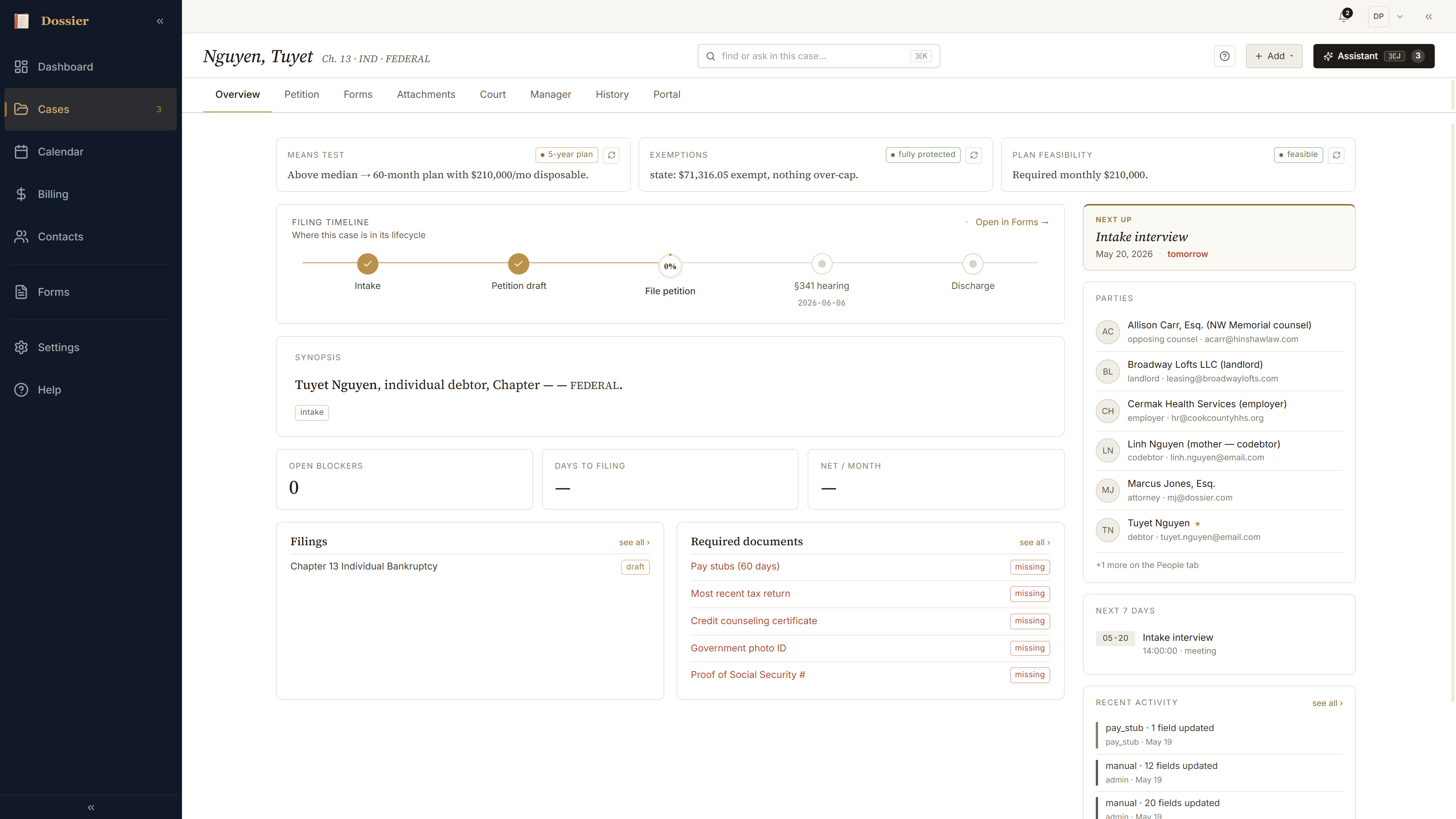
The case is already built
Attorney signs in. New case on her dashboard — Ch 13, status Intake. The Overview is already drawn: verdict strip across the top, synopsis, KPIs, filing timeline, blockers, parties rail. Nothing to set up.
A timeline of where everything came from
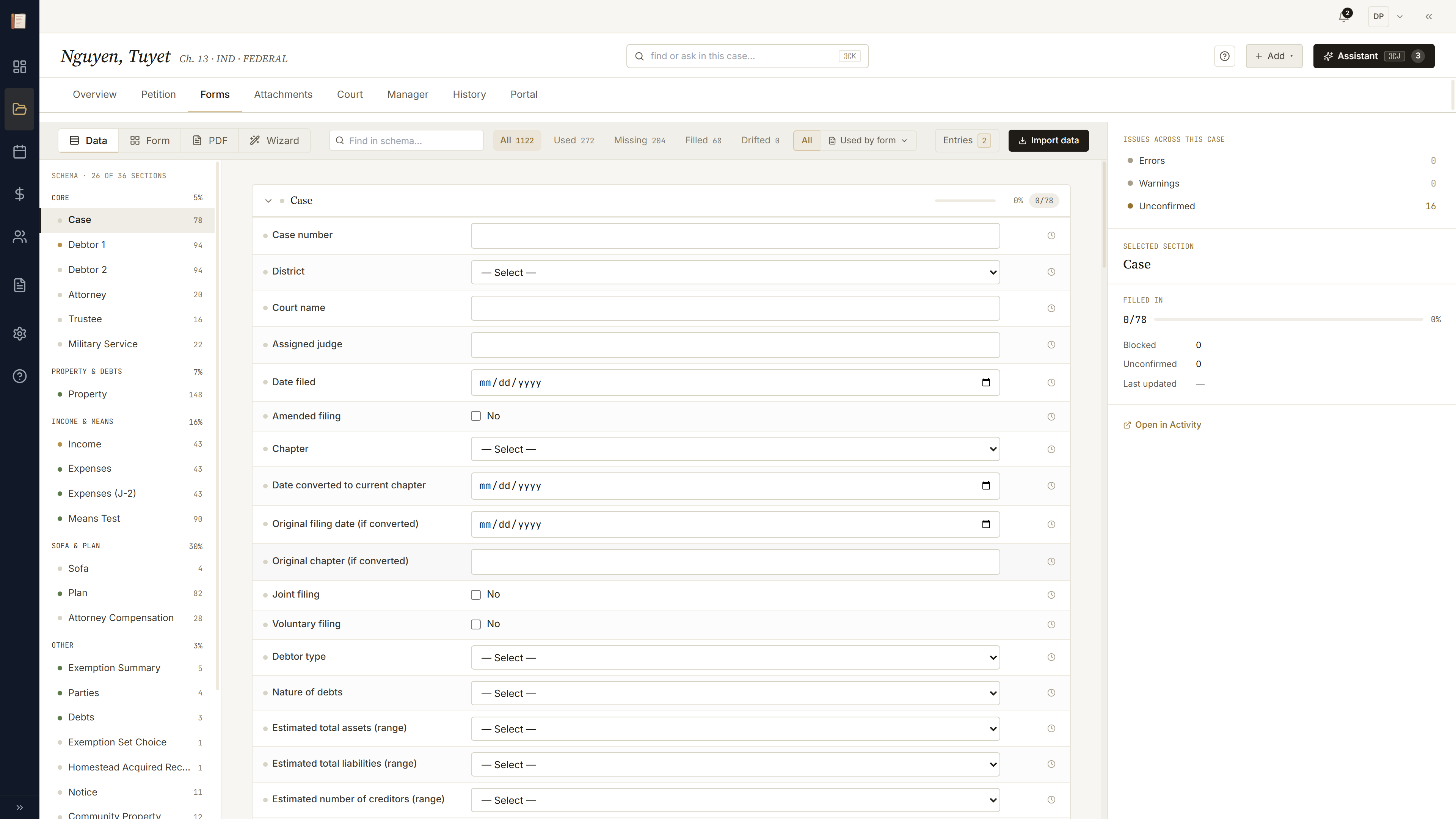
Forms → Entries: every write on the case, in order, with its source. Client portal. Paystub extraction. Attorney manual. Each entry is auditable down to the field it touched. The court file carries the value the attorney picked, not whatever happened to land last.
One field, many forms
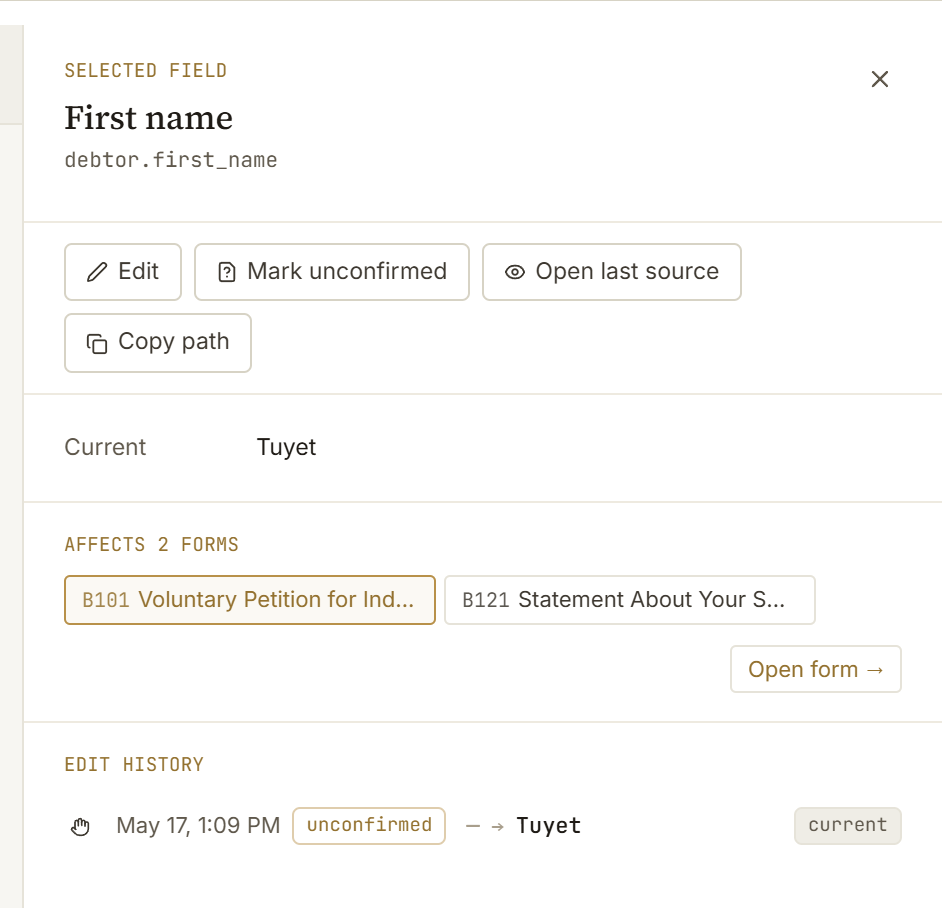
Open any schema field and the inspector's "Affects N forms" panel maps every PDF that field flows into. Schema is the spine; bindings are the radials. Edit the value once; every form updates.
Two sources, one delta
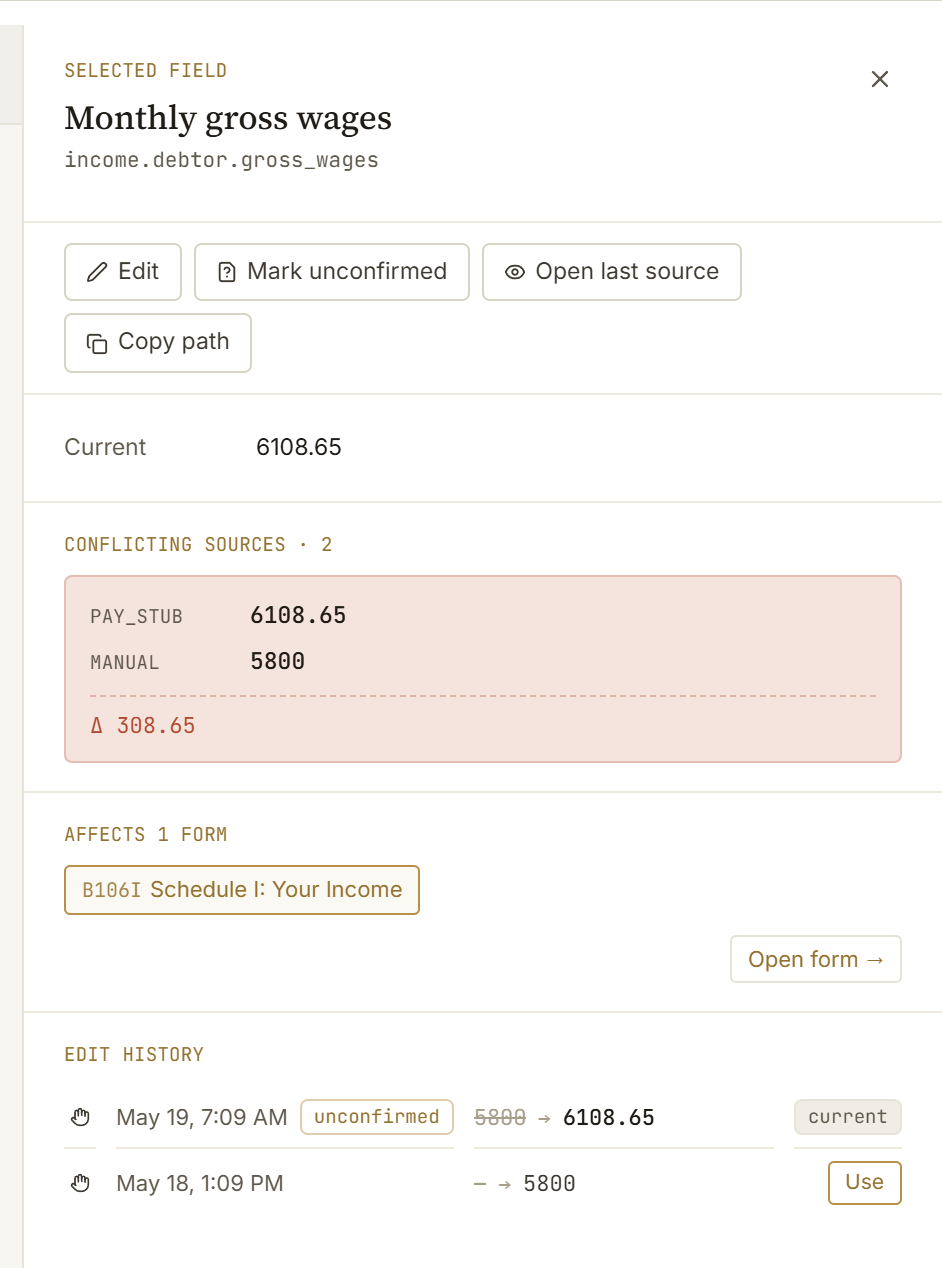
The attorney's intake notes wrote $5,800. The paystub extraction read $6,108.65. Same field, two writes, delta +$308.65. The inspector surfaces the conflict with both rows, source, timestamp, and a one-click apply-to-schema. Neither value is overwritten silently.
Toggle → reveal
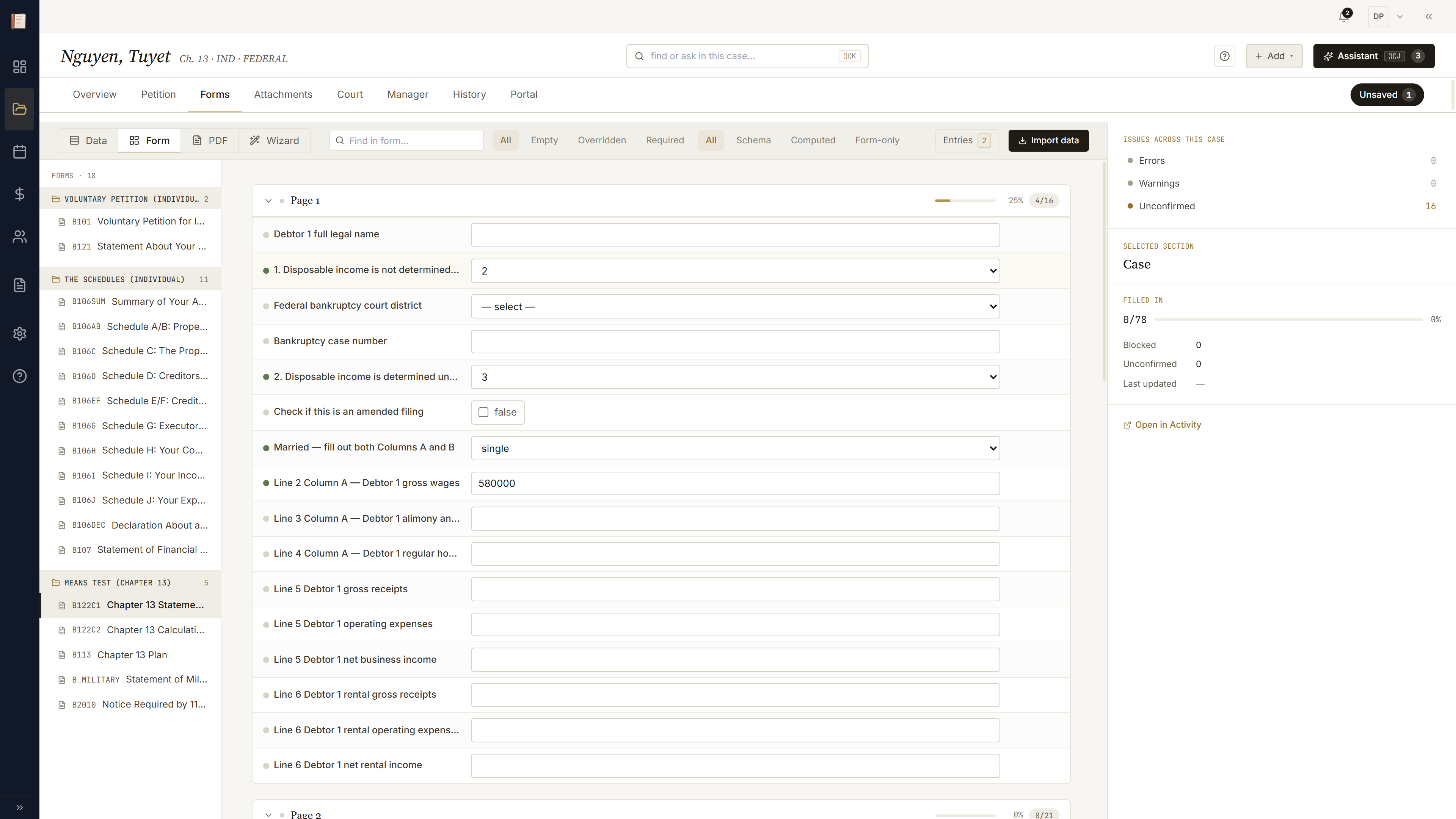
On the Form lens, flip a gate — marital status, joint debtor, asset type. Dependent rows light up gold and slide in; obsolete rows fade out. The cascade is the dependency made visible. No hand-rolled if-then ladders; every conditional row is just an expression on the schema.
The verdict strip
Three calculator pills across the top of the Overview — means test, exemptions, plan feasibility. Each carries a verdict and a one-line detail. Click any pill to land on the calculator with its worksheet expanded.

Plan worksheet, line by line
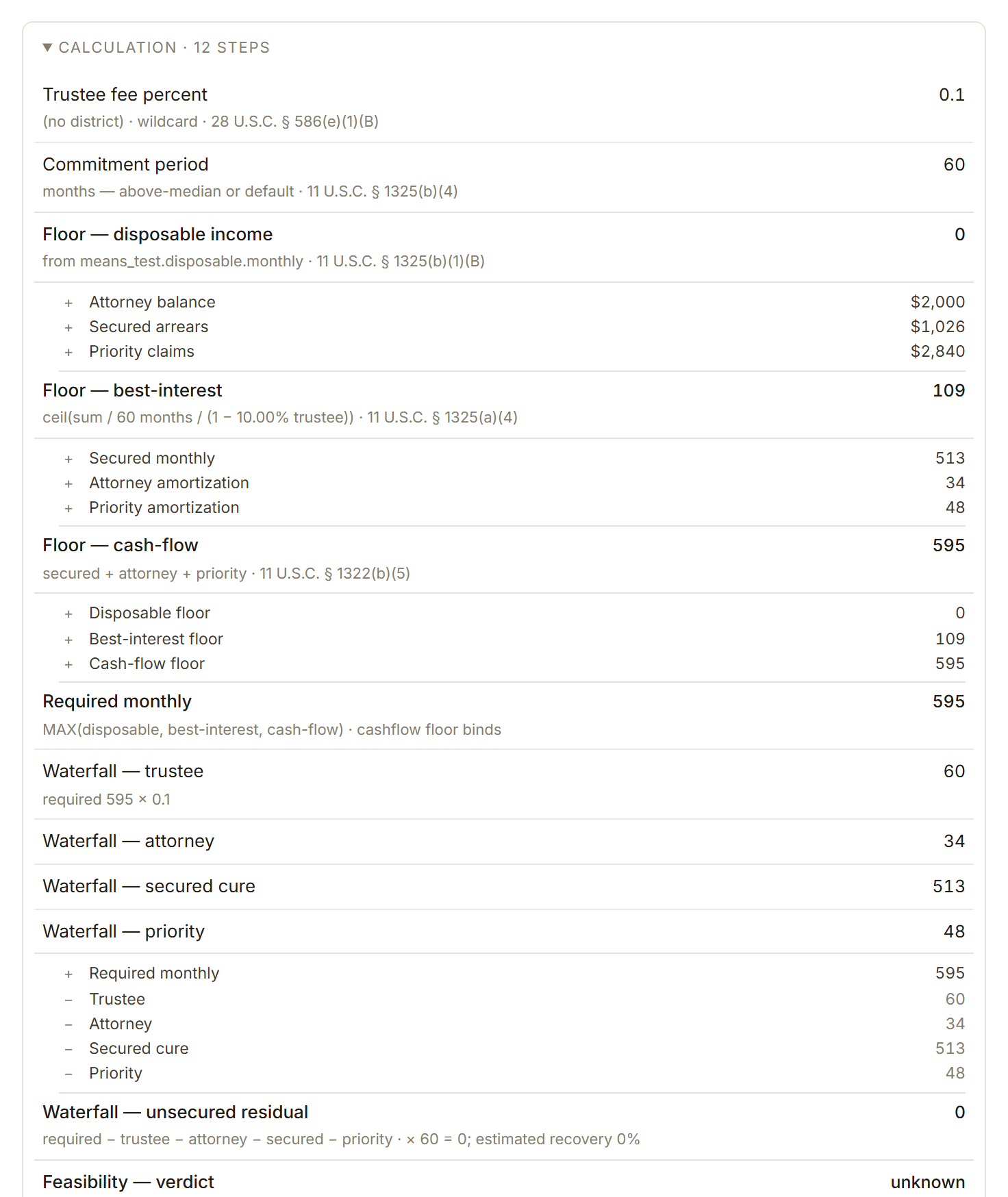
The plan calculator's TraceDisclosure: disposable-income math, commitment-period bump (above-median → 60 months), priority-claim sum, projected unsecured dividend. Each line is the expression with substituted values and a statutory citation. Edit a disposable-income input and every line below it updates — same as a spreadsheet, only sourced and auditable.
Real PDF, real fields
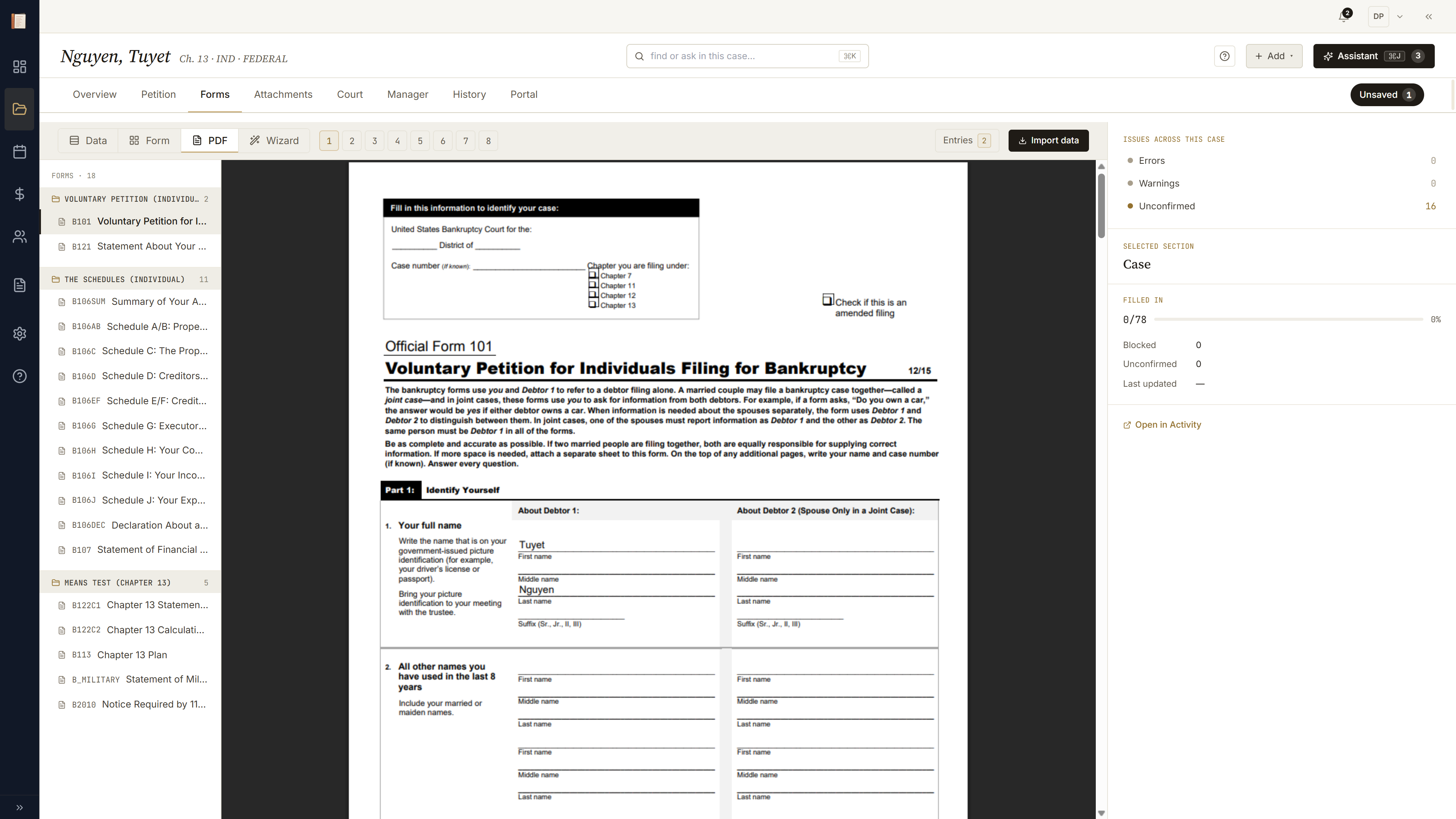
Forms → PDF lens. The real fillable PDF for B 101 with the focused-field overlay. Click a row in the rail; the highlight jumps to the box on the page. Click a field on the page; the rail jumps to the matching schema key. Same data, third projection.
Petition assembled
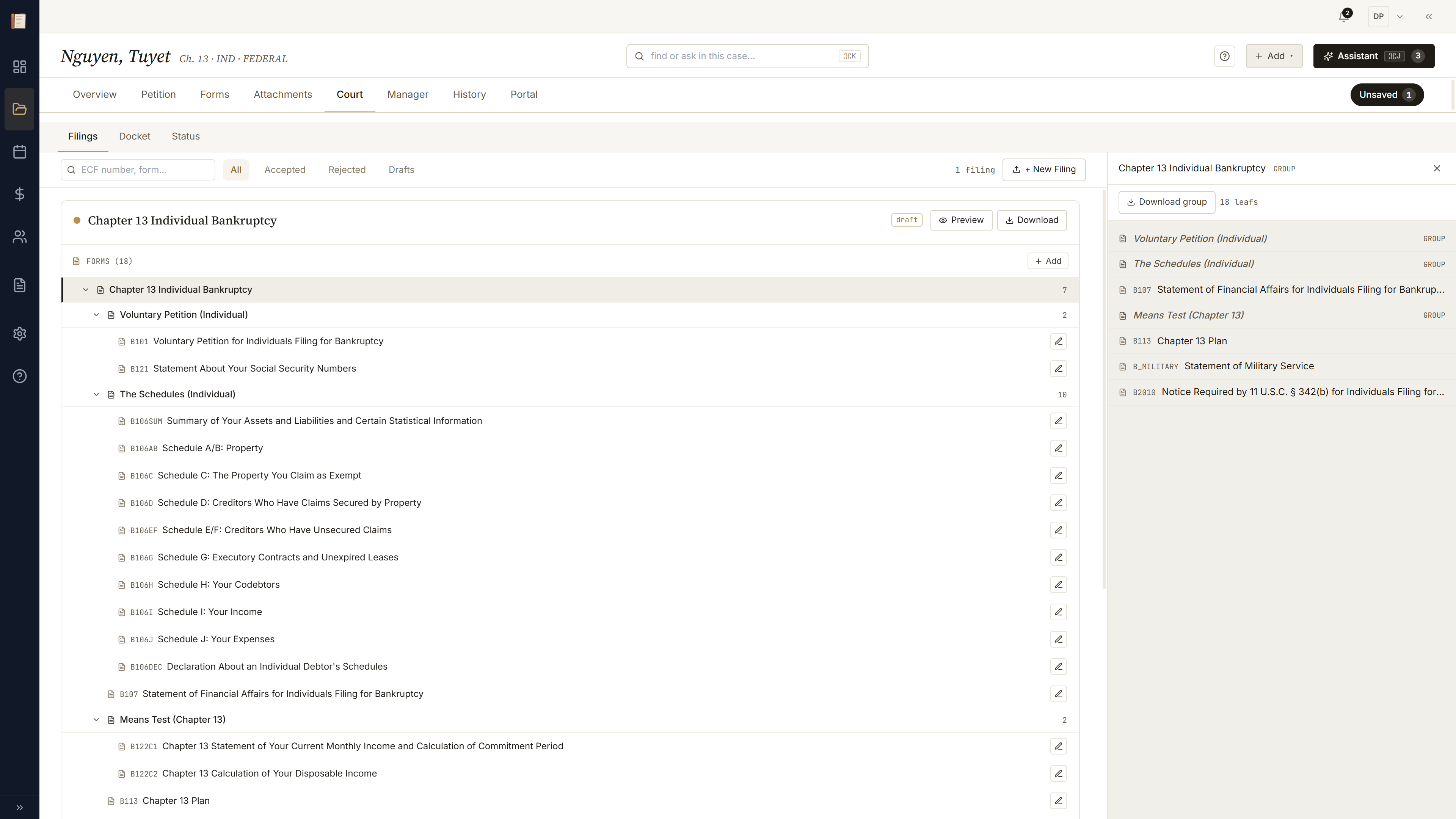
Court → Filings. The Ch 13 group expands — petition, schedules A/B through J, SOFA, means-test forms, the plan — each leaf populated from the schema, the pre-flight rail flagging blockers. Download merged PDF, sign, file via CM/ECF.
Every change on the record
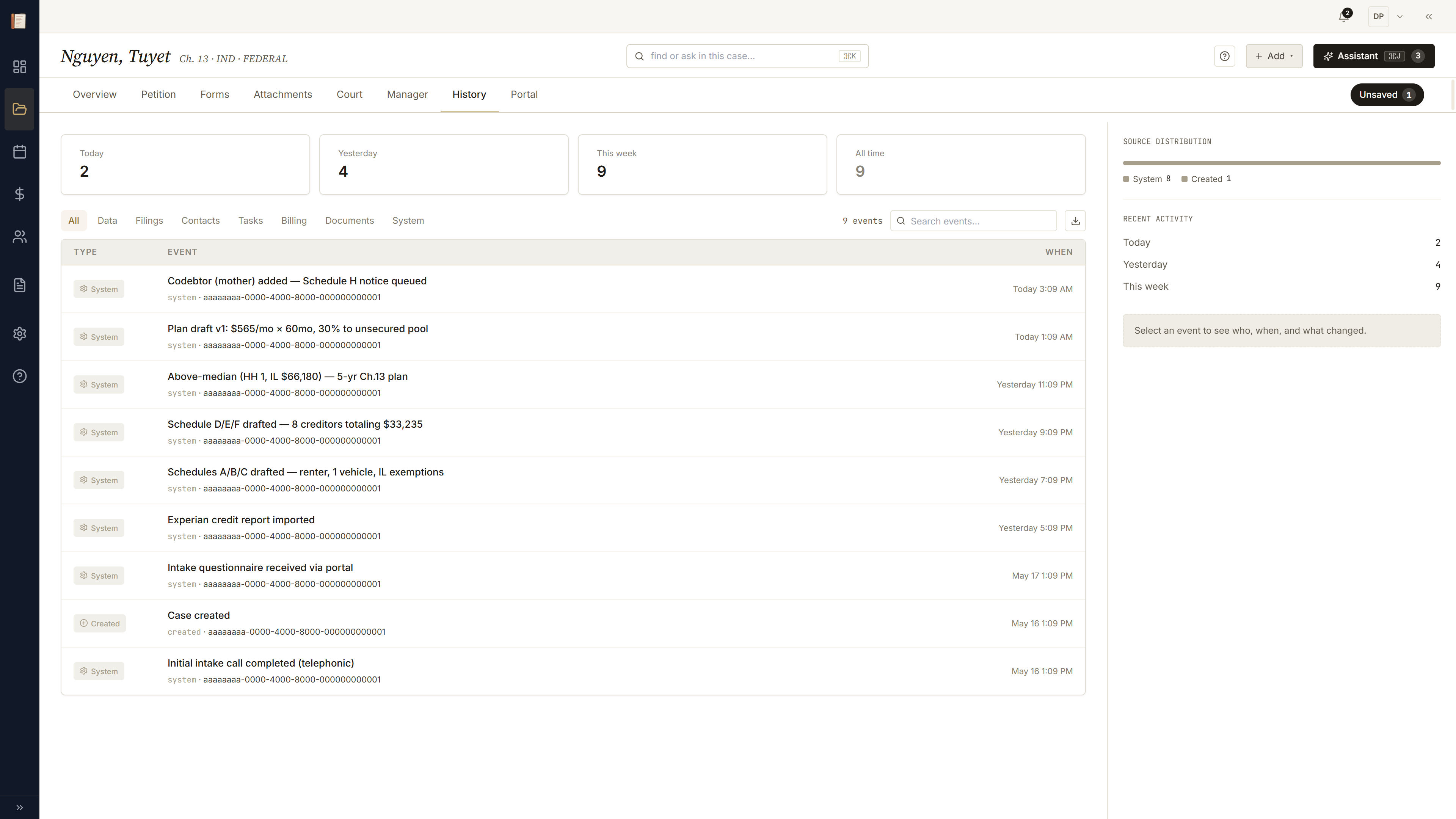
History is the auto-generated audit trail. Every data change, import, status transition, and filing event lands here, with the invoker who triggered it. Read-only. When opposing counsel asks "when did this number change, and from what?" you point at History.
Two more ways in.
Same case, other directions — the attorney has the documents, or a guided tour of the chrome itself.